Quick answer. After this you know why sign-in is failing and what to do about it.
Start with the message you see.
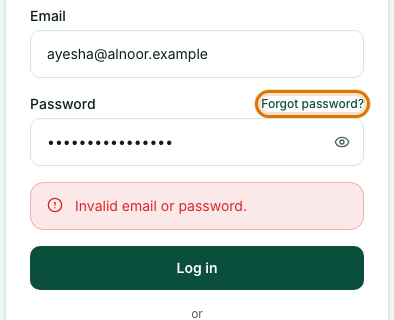
- "Invalid email or password." Check the email address for typing mistakes and make sure Caps Lock is off. If you are not sure of the password, use Forgot password.
- You signed up with Google. Use Continue with Google on the sign-in page instead of typing a password.
- "Account disabled: your school's plan is currently inactive." Your school's plan has lapsed. Teachers should ask their school admin; school admins should renew in Billing.
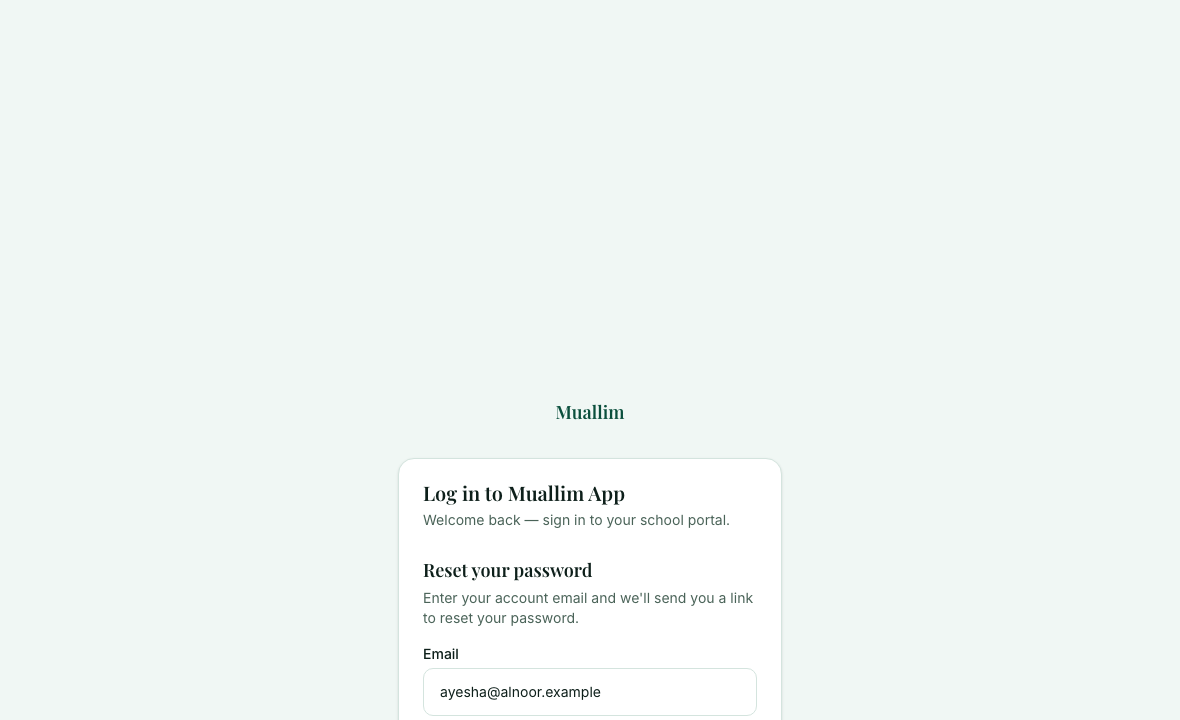
Select Forgot password
It is beside the Password box on the sign-in page. Your email address is carried across.
Check your email
We send a link to reset your password. If it does not arrive, look in your spam or junk folder.
Sign in with the new password
Use the new password on the sign-in page.
Frequently asked questions
- I forgot my Muallim password. What do I do?
- Select Forgot password on the sign-in page. We email you a link to reset it. Check your spam folder if it does not arrive.
- What does Account disabled mean?
- Your school's plan is currently inactive. Teachers should ask their school admin, and school admins should renew in Billing.
- I signed up with Google. Why does my password not work?
- Use Continue with Google on the sign-in page instead of typing a password.
Ready to try it on your own class? The Free plan includes 10 AI generations in any 30 days. No card needed.
Keep reading
- Your profile and password: See your account details, change your school's name, and change your password.
- Plans, billing and payments: What each plan includes, how to upgrade, and how to pay by bank transfer or JazzCash.
Was this guide helpful?