Quick answer. After this you know where your account details are and how to keep your sign-in secure.
Open your profile
Select your name at the bottom of the left menu, or the round avatar at the top right of any page.
Check your account details
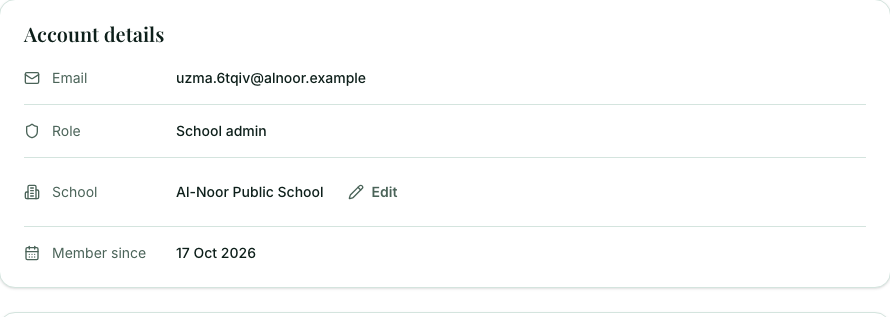
You see your email, your role, your school and the date you joined. School admins can select Edit next to the school name to change it.
Change your password
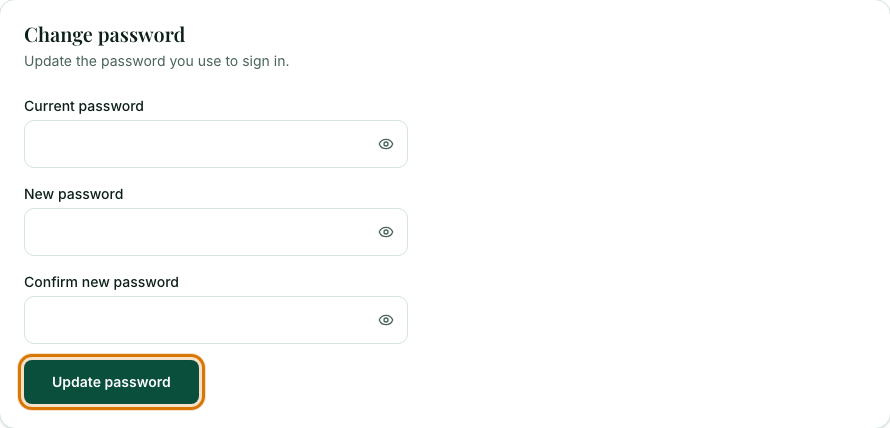
Under Change password, enter your current password, then your new password twice, and select Update password.
Frequently asked questions
- How do I change my Muallim password?
- Open your profile, enter your current password and your new password twice under Change password, then select Update password.
- How do I change my school's name?
- School admins can select Edit next to the school name on their profile page.
- Where do I set my classes and subjects now?
- You choose them in each builder. Subjects and topics you add yourself are listed under Subjects & topics.
Ready to try it on your own class? The Free plan includes 10 AI generations in any 30 days. No card needed.
Keep reading
- I can't sign in: What to try when sign-in fails, and what the "Account disabled" screen means.
- Your own subjects and topics: Add a subject or topic that is not in the list, and see or remove what you have added.
Was this guide helpful?