Quick answer. After this you can print a complete exam paper and its marking scheme.
Included in paid plans. On the Free plan you can buy a 5-paper pack.
Read what the video shows
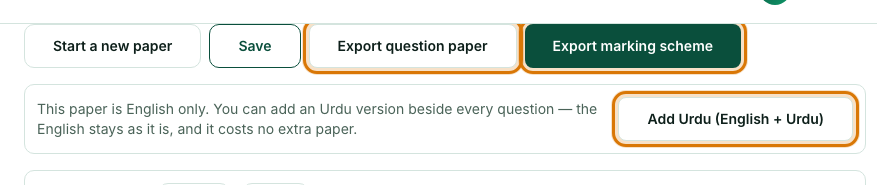
Open Exam Papers from the left menu. Choose the class, then the exam type. Set how the paper is laid out. List the chapters to cover. Select Generate paper, then print the question paper and the marking scheme. You can add Urdu beside every question.
The Exam Paper Generator asks for four things in order: the class, the basics, how the paper is laid out, and the chapters it should cover. The total marks and time are added up for you as you go.
Open Exam Papers
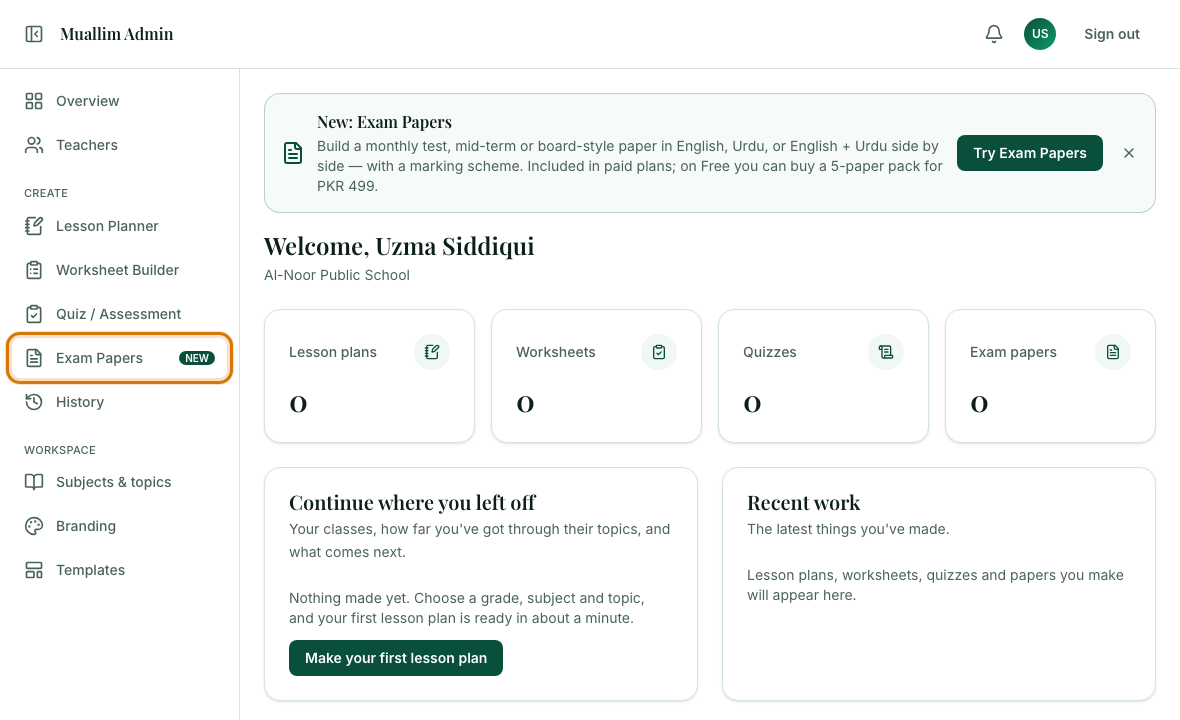
In the left menu, under Create, choose Exam Papers. At the top you can see how many papers your plan still allows.
Step 1: Choose the class
Pick Level, Grade and Subject.

Step 2: Paper basics
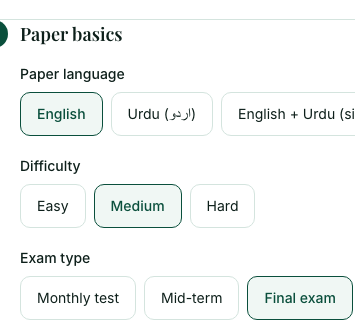
Choose the paper language (English, Urdu, or English + Urdu side by side), the difficulty (Easy, Medium or Hard) and the exam type (Monthly test, Mid-term or Final exam).
Step 3: How the paper is laid out
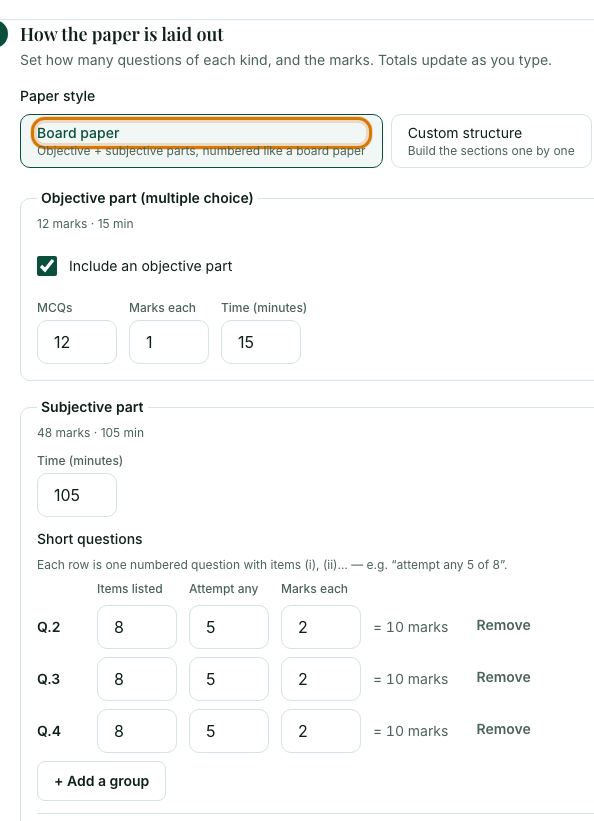
Board paper gives you an objective part (multiple choice) and a subjective part (short and long questions), numbered like a board paper. Set how many questions, the marks for each and the time. "Attempt any" lets students choose, for example any 5 of 8. Choose Custom structure to build the sections one by one. Totals update as you type.
Step 4: Chapters to cover
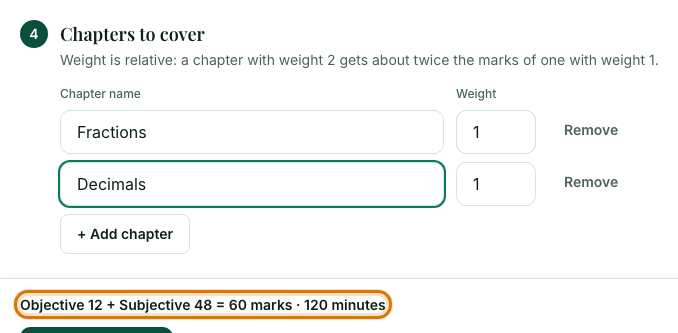
Type the chapters the exam covers. Weight is relative: a chapter with weight 2 gets about twice the marks of a chapter with weight 1. Use Add chapter for more.
Select Generate paper
The paper appears below the form. Check the line above the button first: it shows the total marks and minutes.
Check, edit and export
Edit any question, then select Save. Export question paper prints the paper for students, and Export marking scheme prints the answer scheme for you.
Frequently asked questions
- Can Muallim make an exam paper in Urdu?
- Yes. Choose English, Urdu, or English + Urdu side by side. You can also add an Urdu version to a finished English paper.
- Does the exam paper come with a marking scheme?
- Yes. Select Export marking scheme to print the paper with its marking scheme alongside the question paper.
- Is the exam paper generator free?
- Papers are included in paid plans. On the Free plan you can buy a pack of 5 papers for PKR 499.
Ready to try it on your own class? The Free plan includes 10 AI generations in any 30 days. No card needed.
Keep reading
- Make a marked quiz: A formal quiz with marks for every question, a time limit and an answer key.
- Printing and saving your work: Which button prints what, how to save a PDF, and how to share a lesson plan on WhatsApp.
- Find, reopen and delete past work: Everything you have made is kept in History, newest first.
- About the AI Exam Paper Generator: what it does and who it is for.