Quick answer. After this you can steer the content towards your students without changing the layout.
The Lesson Planner, Worksheet Builder and Quiz / Assessment builders have two optional boxes under Topic: Subtopic and Anything else?. Leave them empty for a general plan, or use them to say what matters for this class.
Subtopic: narrow the lesson
Type a part of the topic, for example "Equivalent fractions" under the topic Fractions. The content then concentrates on that part.
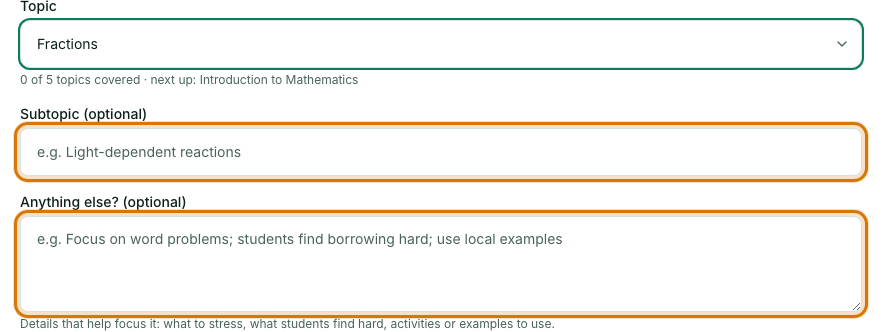
Anything else?: add what you know about your class
Write a sentence or two in your own words. For example: students mix up mass and weight; include a group activity; use examples from daily life.
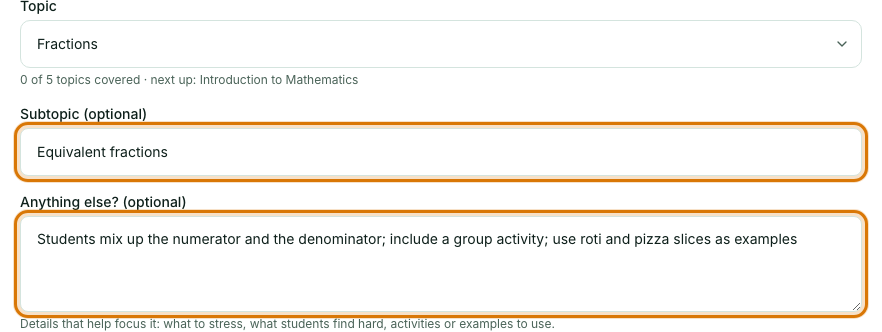
Generate as usual
Notes shape the content. They do not change the layout of the document or the sections of your plan.
- Notes can be up to 500 characters.
- They are used only for that one generation and are not saved, so add them again next time if you still want them.
- Be specific: "use roti and pizza slices as examples" works better than "make it interesting".
- Asking for a different format, such as a different number of sections, will not change the layout. Use More options for the things it controls.
Frequently asked questions
- How long can the Anything else? note be?
- Up to 500 characters. It is used for that one generation and is not saved.
- Can notes change the layout of my lesson plan?
- No. Notes shape the content, such as examples or what to stress, but the document layout and sections stay the same.
- What makes a good note?
- Specific details work best, for example "use roti and pizza slices as examples" or "students mix up mass and weight", rather than "make it interesting".
Ready to try it on your own class? The Free plan includes 10 AI generations in any 30 days. No card needed.
Keep reading
- Make your first lesson plan in 3 minutes: Pick a class and topic, generate a plan, check it and print it.
- Make a worksheet with an answer key: Choose the question types and difficulty, generate, tidy it up, and print a student copy and an answer key.
- Make a marked quiz: A formal quiz with marks for every question, a time limit and an answer key.
- About the AI Lesson Planner: what it does and who it is for.