Quick answer. After this your school is ready: printed documents carry your name and logo, and your teachers can start.
When you register a school you create your own account first, then enter the school's name, board and levels, then confirm the plan. School Starter and School Pro begin with a 7-day trial. After that, go through this list in any order.
Choose a document style
On your Overview page, the card Set up your document style has a Choose a template button. Pick a ready-made layout for worksheets, lesson plans and quizzes. See Choose a template for your documents.

Add your logo and letterhead
Open Branding in the left menu, upload your school's logo and fill in the display name, tagline and footer. See Add your logo and letterhead.
Invite your teachers
Open Teachers, create an invite link for each colleague and send it to them. See Invite teachers to your school.
Decide how teachers choose classes
By default every teacher can pick any grade and subject. If you prefer to assign classes yourself, change this in Subjects & topics. See Subjects and topics for your school.
Check your plan
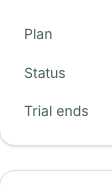
Open Billing to see your plan, its status and when a trial ends. See Plans, billing and payments before the trial finishes.
Make something yourself
You are also a teacher. Open the Lesson Planner and make a first plan so you know what your teachers will see.
Frequently asked questions
- What should I do first after registering my school?
- Choose a document style and add your logo, so the first documents your teachers print already look like your school's. Then invite your teachers.
- Is there a trial for School Starter and School Pro?
- Yes. Both plans begin with a 7-day trial. Billing shows when it ends.
- Do I need to assign classes to teachers?
- No. By default teachers choose any grade and subject. You can lock this later in Subjects & topics.
Ready to set up your school? Register a school and start with a 7-day trial of School Starter or School Pro.
Keep reading
- Your Overview page explained: What the cards and numbers on a school admin's home page mean.
- Add your logo and letterhead: Put your school's name, logo and footer on every printed worksheet, lesson plan and quiz.
- Choose a template for your documents: Pick a ready-made layout for worksheets, lesson plans and quizzes, or ask for one your school uses.
- Invite teachers to your school: Create an invite link, share it, and manage who has joined.
- Plans, billing and payments: What each plan includes, how to upgrade, and how to pay by bank transfer or JazzCash.
- About the School Admin Dashboard: what it does and who it is for.